Your Private Digital Vault for Ideas, Documents, and Secrets.
The offline-first secure note-taking app that combines military-grade encryption with a powerful AI Document Scanner. Your data belongs to you—and only you.

Free to use. No hidden tracking. 100% Offline Capable.
Is Your Private Data Actually Private?
In an age of constant cloud syncing and data breaches, where do you keep your most sensitive information? Standard note-taking apps often scan your content for ads or store your unencrypted journals on vulnerable servers.
If you are storing passwords, bank account details, personal journals, or sensitive work documents in a standard cloud notepad, you are putting your privacy at risk. You need a solution that prioritizes security without sacrificing convenience.
Enter OmniKeep. We built a sanctuary for your digital life.
Why OmniKeep is the Safest Place for Your Data
Military-Grade Encryption (AES-256) We don’t just “hide” your notes; we lock them. OmniKeep uses AES-256 encryption—the same standard used by governments and banks—to secure your data. Even if someone steals your phone or accesses your backup files, they cannot read your notes without your unique key.
Smart AI Document Scanner Turn your physical clutter into secured digital assets. Our built-in AI Scanner automatically detects document edges, corrects perspective, and enhances readability. Perfect for receipts, ID cards, whiteboards, and book pages.
Offline-First Architecture Privacy starts with “Offline.” OmniKeep operates entirely on your device. We do not have servers, which means we cannot see, sell, or lose your data. Your information never leaves your phone unless you explicitly choose to back it up.
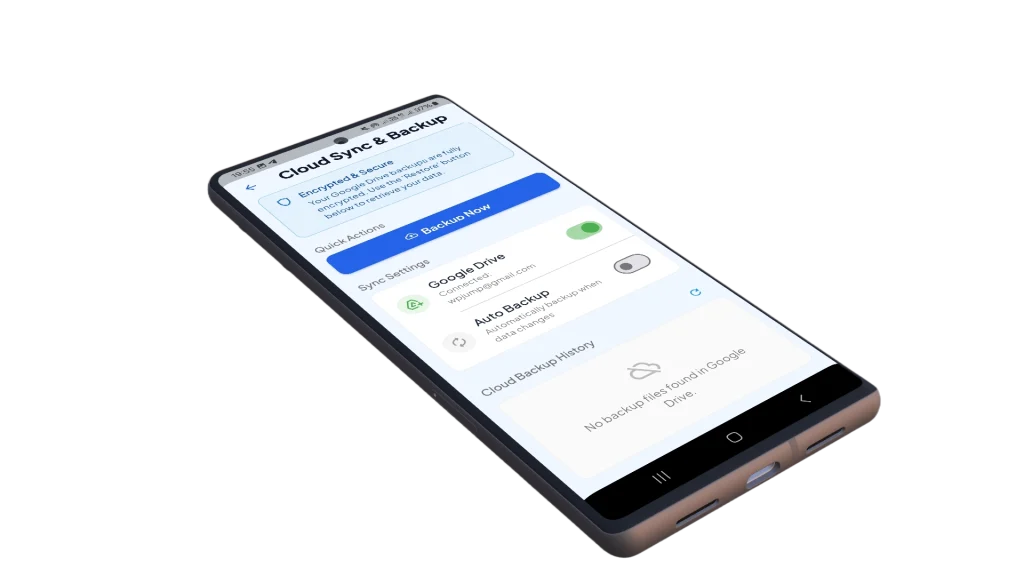
Encrypted Google Drive Backup Worried about losing your phone? OmniKeep offers a seamless Auto-Backup feature linked directly to your personal Google Drive. Unlike other apps, we encrypt the backup file before it uploads. Google can’t read it. We can’t read it. Only you can restore it.
One App, Infinite Possibilities
OmniKeep isn’t just a notepad; it is a versatile secure organizer designed for your daily life.
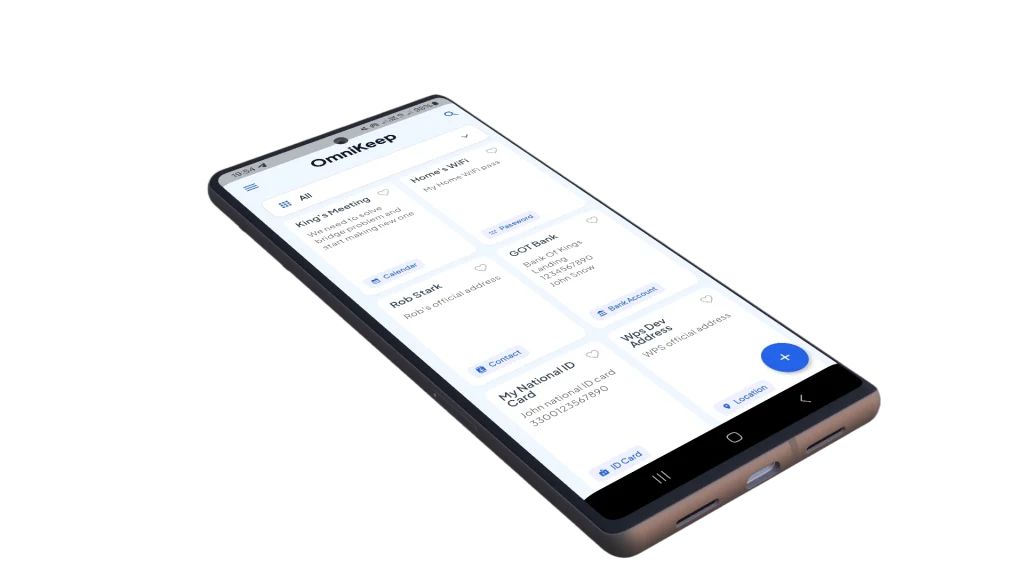
The Secure Digital Wallet: Stop carrying physical sensitive cards. Scan your ID, Driver’s License, Insurance Cards, and Credit Cards. Store them in OmniKeep so you have them when you need them, protected by biometrics or a PIN.
The Private Journal: Write your thoughts freely. Whether it’s a daily diary, therapy notes, or creative writing, rest assured that your words are for your eyes only.
The Password Manager Alternative: Need to store Wi-Fi codes, server logins, or crypto seed phrases? Create a dedicated category in OmniKeep and lock it down.
The Receipt Organizer: Snap photos of receipts for warranty or tax purposes using the AI Scanner. Categorize them instantly so you never lose proof of purchase again.
How We Protect You: The Technical Details
Transparency is the key to trust. Here is how OmniKeep handles your data under the hood:
Zero-Knowledge Privacy: We architecture the app so that we (the developers) have absolutely zero knowledge of your content. We do not track your keystrokes, and we do not analyze your images on our servers.
Local Processing: When you use our AI features to scan a document, the image processing happens locally on your device’s hardware. Your photos are not sent to a remote cloud server for processing.
The “Key” is Yours: When you create a backup, a unique encryption key is generated. This ensures that even if your Google Drive is compromised, the specific
.okdbfile generated by OmniKeep remains an unreadable pile of digital gibberish to hackers.
Experience the Full Power of OmniKeep
OmniKeep is free to download and use forever. However, for power users who want the ultimate experience, we offer OmniKeep Pro.
OmniKeep Free:
✅ AES-256 Encryption
✅ Basic Note Taking
✅ Standard Document Scanning
✅ Local Manual Backup
❌ Contains Ads
OmniKeep Pro (Recommended):
✅ No Ads Forever: Enjoy a distraction-free writing environment.
✅ Unlimited AI Scanning: Scan as many documents as you need without restrictions.
✅ Automatic Cloud Backup: Set it and forget it. Your data syncs to your Drive in the background.
✅ Priority Support: Get help when you need it.
Upgrade once, enjoy peace of mind forever.
Common Questions
Q: If I lose my phone, can I recover my notes? A: Yes, IF you have enabled the Google Drive Backup feature. You can simply install OmniKeep on your new device, sign in to your Google Account, and select “Restore from Backup.”
Q: Can the developers read my notes? A: Absolutely not. We are an offline-first app. We do not have access to your database, your encryption keys, or your backups.
Q: Do I need an internet connection to use the app? A: No. OmniKeep works perfectly offline. Internet connection is only required for the initial download, upgrading to Pro, and performing Google Drive backups.
Q: What happens if I uninstall the app? A: Because data is stored locally, uninstalling the app will verify delete your local data. We strongly recommend performing a “Cloud Backup” or “Export” before uninstalling or switching devices.
Secure Your Digital Life Today.
Don’t wait for a data leak to start taking your privacy seriously. Join thousands of users who trust OmniKeep to organize their lives securely.
Home | Apps | Privacy Policy